Plotter Lab. Advanced classes

Holiday camp11+ yearsat 12:30VAT inc
5
parent rating
500+ students
building & coding
Plotter Lab. Advanced classes — hands-on robotics class
Holiday camp11+ yearsat 12:30VAT inc
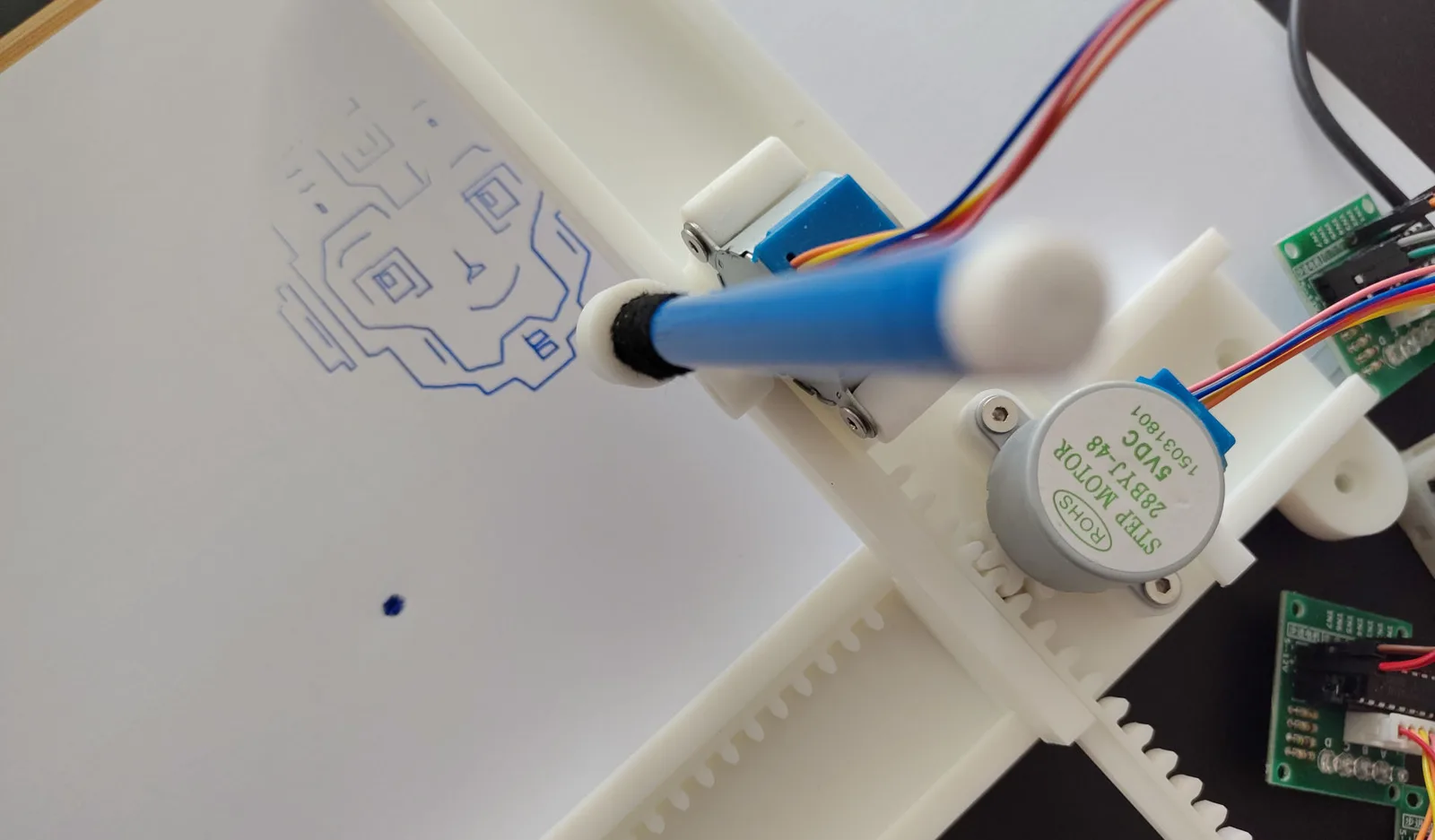
The system uses an Arduino Nano, three stepper motors with driver boards and a simple pen-lift axis to convert digital drawing commands into physical motion. Students work with real movement control, coordinate systems and G-code-style commands to understand how drawing machines and plotters operate.
11+ yearsat 12:30VAT inc

Description

The system uses an Arduino Nano, three stepper motors with driver boards and a simple pen-lift axis to convert digital drawing commands into physical motion. Students work with real movement control, coordinate systems and G-code-style commands to understand how drawing machines and plotters operate.

In this group, students program the plotter using Arduino C. They explore stepper motor control, axis calibration, serial communication and basic G-code interpretation. They also prepare vector drawings in Inkscape, generate plotter commands and test the results through UGS. The project gives students a practical introduction to robotics, digital fabrication and low-level machine control without needing a full CNC machine.

That is take home project!

Requirements

  1. You must be confident in using a computer, keyboard and mouse. At the good user level.
  2. Know how we save files on a computer, what a file and folders are, etc.
  3. Be able to switch between windows in the operating system. Use the keys’ shortcuts.
  4. No previous experience with 3D modeling is required.
  5. No previous experience in Robotics is required.
  6. You want to program robots and are not afraid to struggle with the difficulties of learning them.
  7. Minimum previous experience with text-based programming is required. Ideally, you are able to make a program that performs basic maths operations with numbers. The programming language itself is not important.

Learning outcomes

Understand stepper motor control

Students learn how stepper motors move in small increments and how coil sequences control direction and motion.

Program motion using Arduino C

Students write and modify Arduino code to control X, Y and pen movement through motor driver boards.

Use coordinates to control a machine

Students learn how X/Y coordinates define the pen position and how simple commands create lines and shapes.

Calibrate real-world movement

Students compare commanded distance with real movement and adjust steps-per-millimetre values for better accuracy.

Work with G-code-style commands

Students send and interpret movement commands such as G0, G1, G2, G3, M5 and pen-up/pen-down actions.

Connect digital design with physical output

Students create or prepare vector drawings in Inkscape, convert them into plotter commands and test the final drawing on paper.

Term dates

5 days, from 3 Aug'26 - 7 Aug’26

Start at 12.30 until 15.30

Age: from 11 years old (to 17)

Schedule

12:30Weekdays
11+ years5 days

All equipment, laptops, robots and educational materials are provided by us.

Convenient location in Richmond

📍Parkshot, Richmond TW9 2RE
The closest parking at the Old Deer Park (Extension)
Request info

Trusted by parents in London

5.0
out of 5 · 42 Google reviews
Book a Trial

Reserve Your Child’s Trial Lesson

Join a hands-on robotics lesson in Richmond. All equipment included. Small expert-led groups.
Child's age
WhatsApp us for questions